
Controlling nursing work hours remotely means using specialized scheduling software, understanding your shift structure, and managing your home workspace to protect your time. Remote nursing hour management is not just about picking up shifts from a laptop. It requires knowing which tools give you real scheduling autonomy, what "shift prep" and "charting time" actually add to your day, and how employer policies either support or limit your flexibility. Platforms like QGenda, NurseRoster AI, and skySchedule have changed what nurses can do from home. This guide covers what works in 2026.
How can nurses control nursing work hours remotely with scheduling software?
The most direct way to manage nurse hours online is through self-scheduling platforms built specifically for healthcare. These tools put shift selection, time-off requests, and attendance tracking in your hands rather than a charge nurse's inbox.
QGenda nurse scheduling software enables mobile self-scheduling, shift swaps, PTO requests, clock in/out, and real-time staffing updates. That means you can request a swap from your phone at 6 a.m. without waiting for a manager to open email. The platform uses configurable rules so your employer can set coverage minimums while still giving you meaningful choice within those limits.

AI-powered tools take scheduling one step further. NurseRoster AI auto-generates compliant shift rosters in under 30 seconds and fills callouts in under two minutes. It scores nurses on competency, rest time, and stated preferences before assigning shifts. That scoring system reduces the chance you end up with back-to-back overnight shifts simply because no one else was available.
skySchedule uses AI to predict staffing gaps, automate callout notifications, prevent overtime, and enforce labor budgets in real time. For nurses working remotely, that overtime prevention feature matters. It stops you from being pulled into extra hours without a clear approval process.
Pro Tip: Before accepting a remote role, ask the recruiter which scheduling platform the employer uses and whether nurses have direct access to self-scheduling. A platform with mobile access and real-time visibility is a concrete sign the employer supports nursing work schedule control.
Comparing top nurse scheduling tools
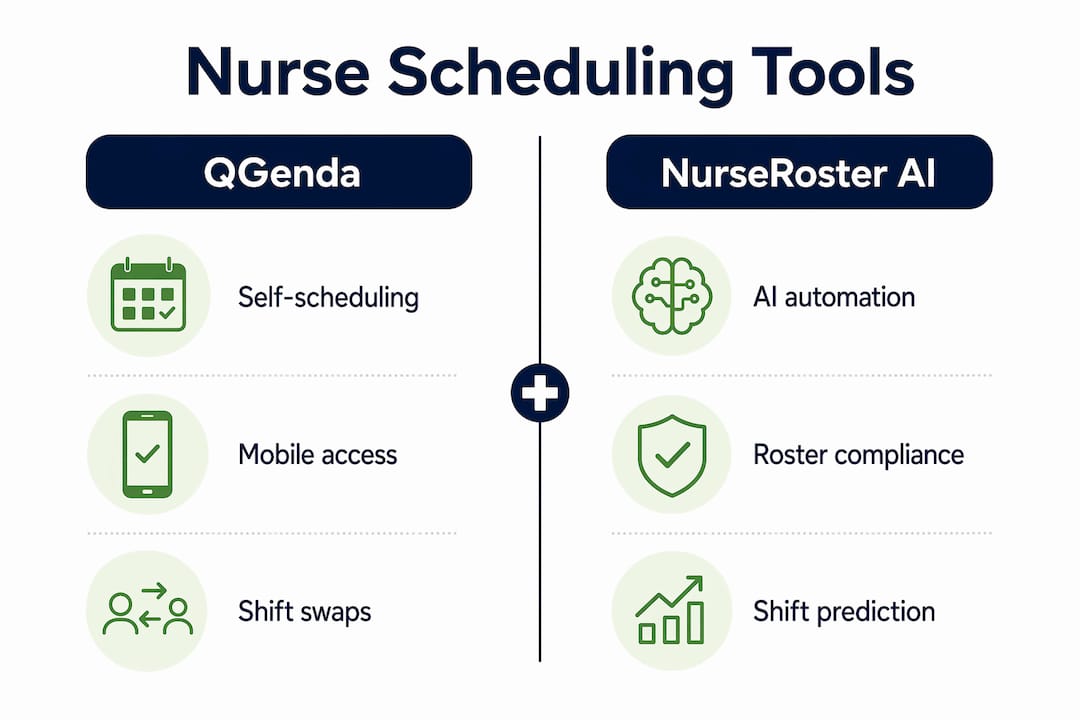
| Tool | Self-scheduling | AI automation | Mobile access | Overtime controls |
|---|---|---|---|---|
| QGenda | Yes | Configurable rules | Yes | Yes |
| NurseRoster AI | Yes | Full AI roster generation | Yes | Yes |
| skySchedule | Yes | Predictive gap filling | Yes | Real-time budget enforcement |
One important caveat: schedule control depends on configuration and leadership oversight of coverage requirements. A platform like QGenda only delivers flexibility if your employer has set it up to allow nurse-initiated changes. Always verify how much control the software actually grants you in practice, not just in the vendor demo.
How do remote nursing shift structures impact control over work hours?
Posted shift times are the visible part of your workday. The full picture includes what happens before and after the clock officially starts.
Remote hospice triage RN roles include paid shift prep of at least 30 minutes and 30 minutes to 2 hours of end-of-shift charting. A posting that lists a 3 p.m. to midnight shift may actually run from 2:30 p.m. to 2 a.m. on a busy night. That gap between the posted hours and your actual time commitment is where work-life balance erodes quietly.
Understanding part-time remote nursing shift expectations helps you evaluate postings more accurately before you commit. Common remote shift structures include:
- Evening shifts (3 p.m. to midnight or similar) with rotating weekend coverage every other Saturday and Sunday
- Paid pre-shift setup of 30 minutes or more for system login, patient queue review, and equipment checks
- End-of-shift charting ranging from 30 minutes to 2 hours depending on call volume and case complexity
- Weekend rotations built into part-time agreements, which reduce your true days off each month
Remote nursing's available free time depends significantly on after-call workflows, not just on-call hours. A role that looks like 20 hours per week on paper can easily run 26 or 27 hours once prep and charting are counted.
Pro Tip: Read every job posting for explicit mention of paid prep time and charting windows. If the posting does not specify, ask directly during the interview. Knowing whether charting time is paid or unpaid changes your effective hourly rate and your total weekly hours.
What practical strategies help nurses optimize their remote nursing schedules?
Telehealth nursing work flexibility does not happen automatically. You have to build habits and systems that protect your schedule from creeping overload.
-
Log into your scheduling platform daily. Shift openings and swap opportunities fill fast. Nurses who check QGenda or similar tools once a week miss the best options. Set a daily reminder for a two-minute schedule review.
-
Communicate swap requests early. Do not wait until the day before a shift you need to drop. Most platforms require advance notice, and availability-based job matching works best when your profile reflects your actual preferences in real time.
-
Build a dedicated workspace. Remote care and triage nursing jobs often require a compact RN license and a dedicated workspace with high-speed, hard-wired internet. A proper setup is not optional. It is a compliance requirement that also signals to your employer that you take the role seriously.
-
Set hard off-hours boundaries. Log out of work systems at the end of your charting window. Disable work notifications on personal devices. Nurses who stay "available" past their shift end up absorbing informal overtime that never shows on a timesheet.
-
Track your actual hours weekly. Use a simple spreadsheet or a time-tracking app like Toggl to log prep, shift, and charting time separately. This gives you data to support a conversation with management if your hours consistently exceed what was agreed.
-
Know your overtime thresholds. skySchedule enforces labor budgets in real time, but not every employer uses that feature. Know your state's overtime rules and your contract terms so you can flag violations before they compound.
Common mistakes to avoid when you schedule nursing remotely include accepting shifts without reading the full prep and charting requirements, failing to update your availability in the scheduling system after life changes, and assuming a self-scheduling platform means unlimited flexibility without checking employer coverage rules.
What are the benefits and challenges of remote nursing schedule control?
Remote nursing schedule control delivers real advantages. It also comes with constraints that are easy to underestimate until you are already in the role.
Benefits:
- Greater flexibility to align shifts with personal obligations, childcare, or continuing education
- Reduced commute time translates directly into more rest and recovery between shifts
- AI scheduling tools like NurseRoster AI and skySchedule reduce unfair shift distribution and last-minute callout pressure
- Real-time scheduling tools give nurses faster visibility into open shifts and swap opportunities
- Telehealth nursing work flexibility supports career advancement without geographic relocation
Challenges:
- Charting time and shift prep add hours that posted shift times do not show
- Self-scheduling tools only work as advertised when employers enforce the supporting policies
- Compact RN license requirements and home setup standards limit who can access remote roles
- Burnout risk rises when off-hours boundaries are unclear or not enforced
- Weekend rotation requirements reduce the practical flexibility of part-time agreements
Work-life balance in remote nursing depends as much on transparent shift prep and charting time policies as on the actual call windows. A role with a generous self-scheduling platform but vague charting expectations can still consume your evenings. Proactive time management, clear communication with your manager, and a realistic read of the full shift structure are what actually protect your schedule.
Key takeaways
Effective remote nursing hour management requires combining the right scheduling software with a clear understanding of your full shift structure, including prep and charting time that posted hours rarely show.
| Point | Details |
|---|---|
| Use self-scheduling platforms | Tools like QGenda give nurses direct control over swaps, PTO, and clock-in from mobile devices. |
| Verify total shift hours | Always confirm paid prep time and charting windows before accepting a remote role. |
| Understand employer policy limits | Self-scheduling only works when employers configure and enforce coverage rules properly. |
| Set firm off-hours boundaries | Log out of work systems after charting ends to prevent informal overtime from accumulating. |
| Track actual hours weekly | Log prep, shift, and charting time separately to catch overages before they become a pattern. |
What I have learned about remote nursing schedule control
The biggest misconception I see is that remote nursing automatically means more freedom. It does not. What it means is that the variables affecting your time shift from a physical unit to a digital environment. The charting window, the prep requirement, the weekend rotation. These do not disappear because you are working from home. They just become easier to overlook because no one is watching the clock in the same room.
The nurses I have seen thrive in remote roles treat their scheduling platform as a professional tool, not a convenience. They update their availability consistently, they read postings carefully for total hour commitments, and they push back when charting time bleeds past the agreed window. That is not being difficult. That is professional self-management.
The technology has genuinely improved. NurseRoster AI and skySchedule represent a real step forward in fair, automated scheduling. But technology only solves the problem if the employer has configured it correctly and the nurse knows how to use it. A platform sitting at 20% of its capability because no one trained the staff is not a scheduling tool. It is a calendar with extra steps.
My honest advice: before you accept any remote nursing role, ask three questions. What is the charting time expectation? Is prep time paid? And which scheduling platform do nurses use directly? The answers tell you more about your real work-life balance than the job title ever will.
— Flexible
Find your next flexible remote nursing role
Remote nursing schedule control starts with finding the right employer and the right platform. Flexiblenursingcareers connects you with remote and flexible nursing opportunities matched to your skills, availability, and schedule preferences.

Sign in or create your profile at NurseFlex Jobs to browse roles that list shift structures, prep time, and charting expectations upfront. The platform uses real-time matching so you see opportunities that fit your actual availability, not just your license type. Healthcare workers using Flexiblenursingcareers report faster placement and better schedule fit. You can also explore why healthcare workers use staffing platforms to understand how the right platform changes your options.
FAQ
What tools let nurses manage their hours online?
QGenda, NurseRoster AI, and skySchedule are the leading platforms for remote nursing hour management. Each offers self-scheduling, shift swaps, and real-time staffing visibility from a mobile device.
How much extra time should I expect beyond posted shift hours?
Remote hospice triage roles, for example, include at least 30 minutes of paid prep and up to 2 hours of end-of-shift charting. Always ask employers to confirm whether these windows are paid and how long they typically run.
Do I need a special license to work as a remote nurse?
Most remote triage and telehealth nursing roles require a compact RN license and a dedicated home workspace with high-speed, hard-wired internet. Check your state's participation in the Nurse Licensure Compact before applying.
Can I really control my schedule with self-scheduling software?
Self-scheduling platforms give you real control only when your employer enforces the supporting coverage policies. Without proper configuration and management oversight, swap and PTO requests can still be denied due to staffing minimums.
What is the biggest risk to work-life balance in remote nursing?
Unclear charting time policies are the most common cause of overwork in remote nursing. When end-of-shift charting is undefined or unpaid, it quietly extends your workday well past the posted shift end.